
Anniversary Rap Video
Make him the surprise act.
Want to make your husband rap from a picture for your anniversary? Wedding Anniversary Rap puts his photo into a short wedding duet. Use one photo to replace the groom, or add your own photo to replace the bride too. Preview the performance first, choose your picture quality, and make a funny anniversary video without filming, editing or writing a prompt.
1 or 2 photos · 12-second output · MP4 · 480p / 720p / 1080p
Make my anniversary rap videoPreview free. Credit packs start at $4.99 USD for 150 credits. This template starts at 120 credits at 480p.
Supplied model photos for the two roles. Choose your own photos in the creator; these are not customer testimonials.
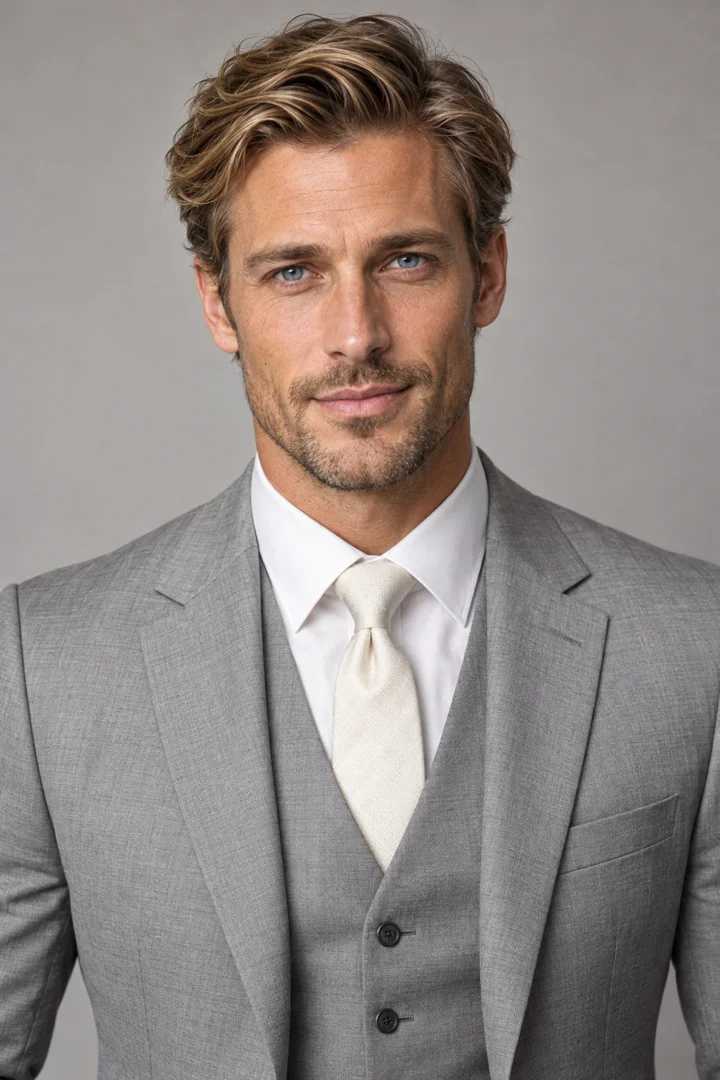
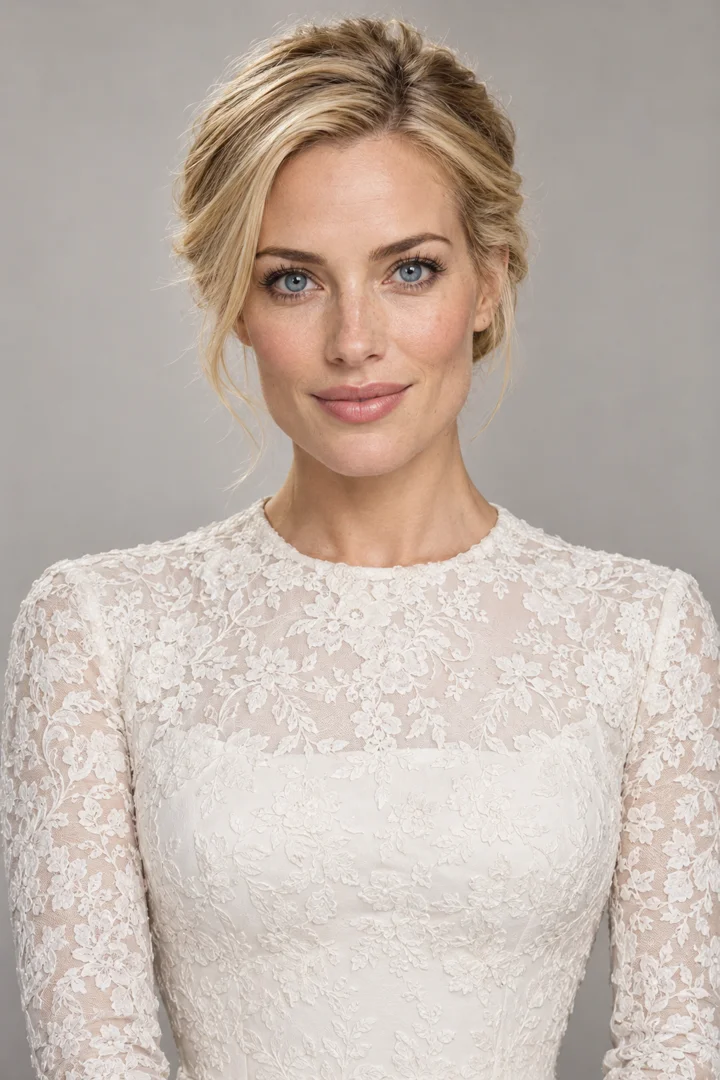
A funny anniversary surprise
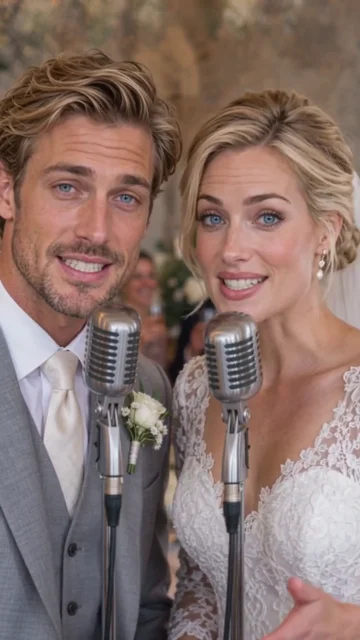
The idea is simple: someone you know appears to take the microphone at a wedding reception. In this template, a suited groom and a bride stand close together, each with a separate silver microphone. They take turns delivering the performance, smiling and reacting to one another. The warm room, flowers and wedding clothes make the occasion visible without a caption explaining it.
That makes the clip a playful addition to an anniversary message or a private family chat. The surprise comes from seeing a familiar face in the performance. It is an AI-made scene, not footage of your actual wedding, and it does not tell your relationship story through custom lyrics. Watch the supplied preview with sound to decide whether its mood suits the person receiving it.
Make your anniversary rap video
Watch the wedding preview
Play the sample and turn sound on. The create button opens the homepage with Wedding Anniversary Rap already selected, so you do not need to search for it again.
Add one or two photos
Sign in with Google. Add your husband to Photo 1 for the groom role. To replace both performers, select two photos and put the second person in Photo 2. Confirm permission to use the pictures.
Choose quality and check credits
Pick 480p, 720p or 1080p and your aspect ratio. Check the 12-second output and displayed credit cost before generating. If you need credits, the site saves your draft and takes you to the homepage packs.
Generate, review and download
Submit the video, then follow its progress in the task notification or My videos. Payment alone does not start a video: after a purchase, return to your restored draft and click to continue. Download and review the finished MP4 before sharing.
Make your husband rap
For a husband-photo rap video, put his portrait in Photo 1 and keep the single-photo option. His face and hairstyle replace the groom role, while the template bride stays in the scene. You do not need a second picture to make this version. One uploaded photo still produces a duet scene; it does not remove the partner or turn the performance into a solo.
The wedding suit stays in the video. You can use a clear everyday portrait rather than arranging a new wedding photo shoot. This template changes identity and hairstyle while aiming to keep the wedding outfits, microphones, setting and source performance. A suit, dress or background in an uploaded photo is not a request to replace the template wardrobe. Get your husband's permission to use his likeness.
Make it a couple duet
To put both of you in the anniversary rap video, choose two photos. Photo 1 maps to the groom role; Photo 2 maps to the bride role. Use separate, clear pictures so the creator can assign each person unambiguously. A single group wedding photograph is not automatically split into two roles. If that is your only source, prepare a separate crop for each person before uploading.
The upload slots control the roles. The system does not choose a role from someone's clothes or gender, and it does not swap the slots for you. Check both thumbnails before continuing. The supplied model pictures and preview show the arrangement; they are examples for this template, not evidence that every uploaded face will produce an identical result.
The photos are yours. The verse is preset.
You do not need to record your voice, write lyrics, upload a song or learn CapCut. Choose the preset wedding performance and supply your photos. Audio is enabled for this template. The preview starts muted; turn sound on to listen before spending credits. A new generation may vary in its sound, timing and facial movement, so listen to the finished MP4 before sharing it.
There is no field for your husband's name, the number of years you have been married, private jokes or an anniversary date. Rap Your Life does not currently offer custom anniversary lyrics, custom songs or voice cloning. If those spoken details are essential to your gift, this template does not supply them. You can write a personal message alongside the video when you send it, but that message will not be sung inside the generated clip.
A short clip you can send
The standard Wedding Anniversary Rap output is 12 seconds. That is the clip length, not a promise about how quickly the AI finishes. Generation time depends on the provider's queue and request. After submission, follow the task notification or My videos; wait for completion, then download the MP4 from your account.
Choose 480p, 720p or 1080p before generating. The higher resolutions cost more credits but do not make the performance longer. Vertical 9:16 is the default, matching the supplied preview. Adaptive, 16:9, 4:3, 1:1 and 3:4 are also available; a different aspect ratio can change the framing. Preview playback is free, while creating your own version requires Google sign-in and enough credits.
Pick photos for each role
| One visible face per photo | Use a sharp portrait with the whole face visible. Avoid heavy filters, motion blur and a hand or object covering the face. Separate photos are easier to assign than a crowded wedding group shot. |
|---|---|
| Ordinary clothes are fine | The template keeps its wedding suit and lace dress. Your photo supplies facial identity and hair; it is not a costume selector. A clear recent portrait is more useful than a distant full-length wedding photograph. |
| Check the upload slots | Photo 1 replaces the groom. Optional Photo 2 replaces the bride. With one photo, the bride stays as the template performer. Use the role labels and preview rather than relying on photo filenames. |
| Use your phone or computer | Create in your browser. On a computer, Upload from phone can bring in a phone photo. The history gallery lets you reuse saved uploads; pictures stay there until you delete them. |
Inside the actual preview
Frames from the supplied template video, not a guarantee of the exact movement in every new generation.
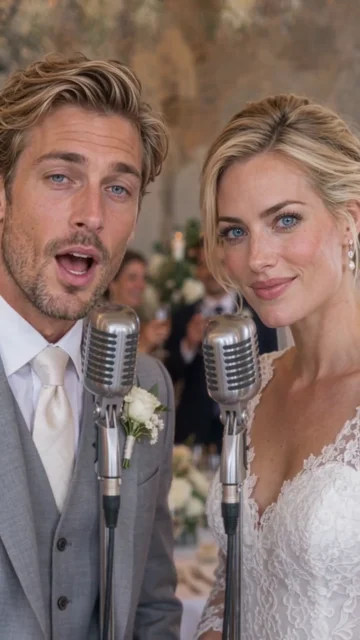
The opening line
The groom role faces the camera while the bride reacts beside a second microphone.
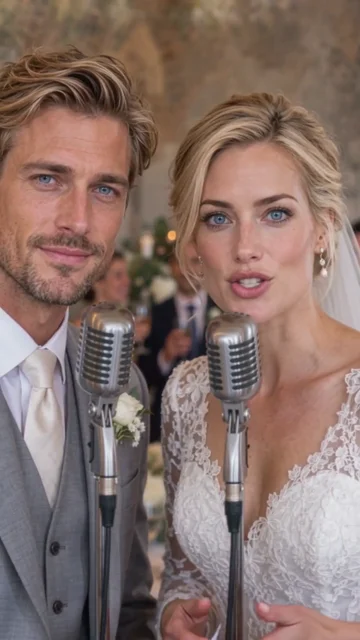
A shared performance
The bride role takes her turn, with the groom still in the same close frame.
The final moments
Both performers remain together in the wedding reception setting.
What does this anniversary video cost?
One-time credit packs, charged in USD. Credits never expire. Higher resolutions cost more; they do not extend the template’s duration. The creator shows the selected price before you submit.
| Resolution | Output length | Credits per generation |
|---|---|---|
| 480p | 12 seconds | 120 |
| 720p | 12 seconds | 240 |
| 1080p | 12 seconds | 480 |
Anniversary rap video questions
- Can I turn my husband's photo into a funny anniversary rap video?
- Yes. Select Wedding Anniversary Rap and upload his photo in Photo 1. It replaces the groom role in a 12-second wedding duet while keeping the template bride. You do not need to film him performing or edit a video. Use a photo you have permission to upload.
- Can we both appear in the anniversary video?
- Yes. Choose two photos: Photo 1 replaces the groom role and Photo 2 replaces the bride role. The template keeps its wedding outfits and setting. Upload a separate picture for each person; one couple photo is not automatically divided into two roles.
- Can the rap mention his name or how many years we have been married?
- No. This is a preset performance, not a custom anniversary lyrics generator. You cannot enter names, a date, your own song or private jokes. Add a personal note when you share the downloaded video if you want to explain the occasion.
- How much does an anniversary rap video cost?
- A 12-second generation uses 120 credits at 480p, 240 credits at 720p or 480 credits at 1080p. The $4.99 USD entry pack includes 150 credits, enough for one 480p generation with 30 credits left. Applicable taxes or currency conversion are shown by Stripe before payment. Credits never expire.
- Do I need to record a voice or upload music?
- No. Audio is enabled for the wedding template, and you do not supply a recording or music file. The preview starts muted; use Turn sound on to listen. Generated audio can vary, and the tool does not clone your voice or guarantee the exact preview soundtrack.
- Will our original wedding outfits appear?
- The generated scene keeps the template wedding suit and dress. Uploaded photos guide faces and hairstyles, not a full wardrobe replacement. It is an AI wedding performance rather than an edit of your own wedding footage.
- Can I make it on my phone and send the video to my husband?
- Yes. Use a phone or computer browser, sign in with Google, upload the photo and generate. The finished MP4 is available in My videos for download. Review the file and then share it using your preferred messaging or social app.
- Will I lose my photos if I need to buy credits?
- The site saves your creation draft before sending you to the homepage credit packs. After payment succeeds or is cancelled, it returns to the draft with your photos and settings. Drafts are kept for up to 24 hours; check your balance and click to continue generating.
Try another template
Guide reviewed 2026-10-30 · 2026 edition