
Boombox Rap AI
You take the lead. Your partner brings the speaker.
Boombox Street Duo turns one or two photos into a short street performance: two people step off a porch, move towards the camera and share the frame with a shoulder-carried boombox. Use one photo to replace the lead while keeping the template partner, or add a second photo to personalise both roles. The preview below is the scene you are choosing.
1 or 2 photos · 15-second output · MP4 · 480p / 720p / 1080p
Make my boombox rap videoPreview free. Credit packs start at $4.99 USD for 150 credits. This template starts at 150 credits at 480p.
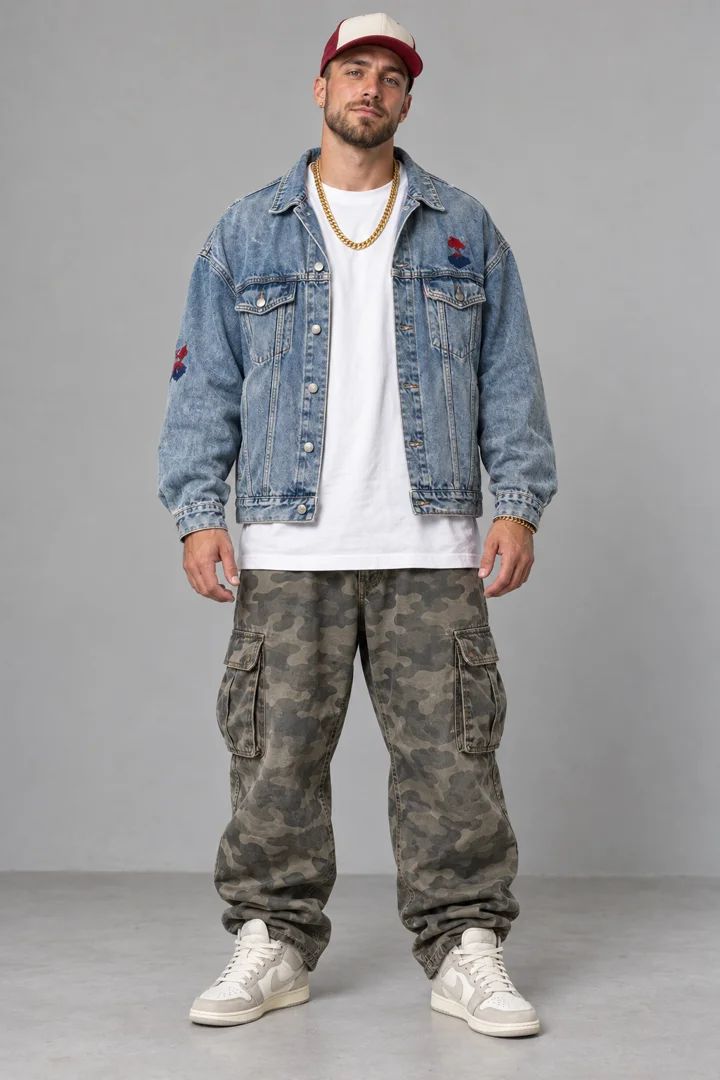
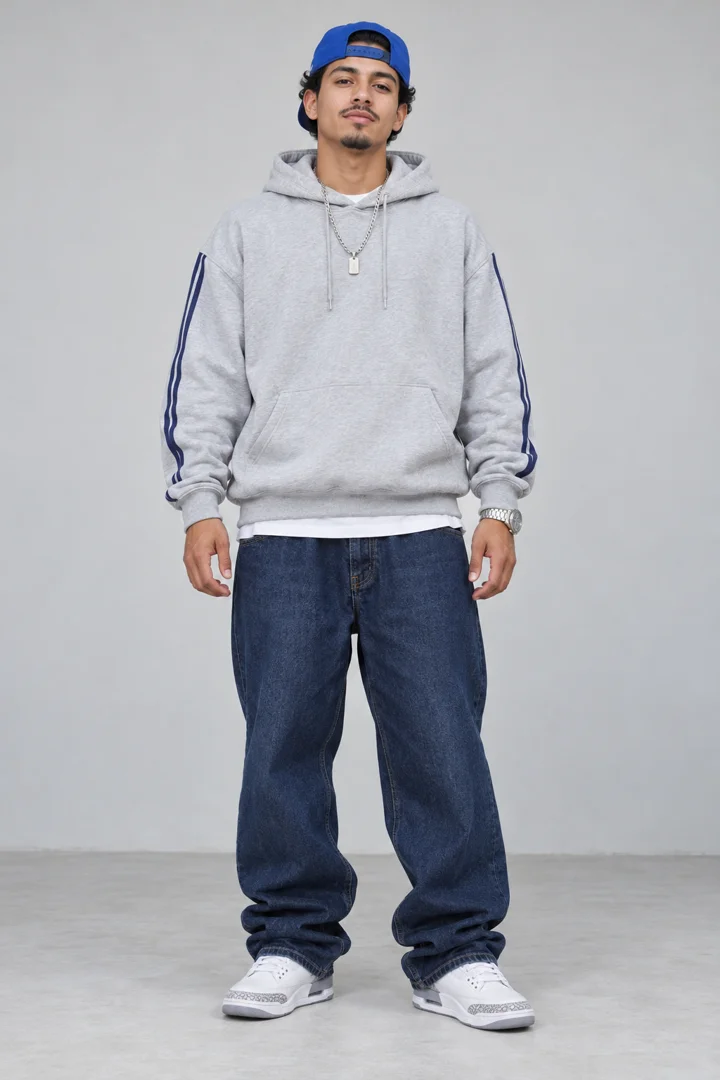
These are the template reference photos. Upload your own in the creator.
What makes this a boombox rap video?
The speaker is part of the performance, not an icon pasted over a portrait. In the supplied clip, the pair starts beside a brick building, comes down the steps and walks onto the pavement. One person addresses the camera; the other carries the boombox and joins the movement. Trees, parked vehicles and the building remain visible around them. That combination gives the scene its street-duo identity.
This is a fixed video template with two roles. You choose the people through your photos and select output settings; you do not choose a different street, direct the camera or write a new verse. Watch the complete preview with sound before buying credits. It is a better guide to the template’s mood and movement than the still cover alone.
Make it with your photos
Open Boombox Street Duo
Use the button on this page. It opens the homepage creator with Boombox Street Duo selected, so you do not have to find it again. If you are returning from a purchase with a saved creation draft, that draft takes priority and restores its choices.
Assign the lead and optional partner
Upload one clear portrait for the lead. Add a separate partner photo only if you want to replace the companion too. You can also select an authorised image from your private photo history. Check the slots before choosing the resolution and aspect ratio.
Check credits, then generate
Sign in, review the displayed credit cost and submit. If your balance is short, the purchase flow saves your creation draft and brings you back after checkout. Check the restored photos and settings, then click to continue generating. Buying credits does not automatically start the video.
One photo or two: decide who plays each role
Photo 1 is the lead performer. Use a clear image of the person you want closest to the action. If you leave Photo 2 empty, the template keeps its existing companion. That makes a single-photo version possible without finding another portrait or cropping a second person out of a group picture.
Photo 2 is optional and replaces the partner. For a video with a friend, prepare two separate images and check which upload slot each one occupies. The role belongs to the slot, not to the person’s height, clothing or position in the original photograph. A group selfie is not a substitute for assigning the two roles separately. You can use the reference pictures alongside the preview to understand the intended arrangement.
A 15-second output, with audio and your chosen format
The current Boombox Street Duo generation setting is 15 seconds. The supplied example is about 14 seconds long; that is the length of this particular preview file, not a separate cheaper output option. Resolution changes the image size and credit cost. It does not change the template into a longer performance.
The template is configured to generate with audio. The preview starts muted so it will not interrupt you while browsing; the sound button turns playback audio on. Muted playback does not mean the downloaded video is intended to be silent. There is no custom-song, lyric-entry or voice-recording field for this template. Review the finished file, including its sound, before you share it.
The default aspect ratio is vertical 9:16. You can also choose adaptive, 16:9, 4:3, 1:1 or 3:4 in the creator. A different ratio can change framing, so a portrait preview cannot promise an identical crop in a landscape result. Choose the format for your intended use before submitting rather than assuming you can recover everything with a crop afterwards.
Three practical ways to use the same scene
Start with a solo replacement if you want to see yourself in the lead without organising another photo. The boombox companion remains part of the scene, so this is still a duo performance rather than a one-person street video. The benefit is a simpler input, not a different template.
Use two authorised photos for a friend pairing or a birthday message. Put the intended lead in the first slot and the speaker-carrying partner in the second. Add any personal greeting later in your own editor: the creator does not turn typed instructions into a new rap. If the other person will be surprised by the gift, make sure you still have permission to use their likeness.
For a social post, keep the action readable. The vertical option suits a phone screen, while a square version may fit another layout. The template does not automatically add captions, titles or platform-specific stickers. You can make those edits after downloading, with audio and imagery you have the rights to publish.
What to check in your finished boombox rap clip
AI motion can change facial details, hands, clothing edges or the way two people overlap. A useful preview of the template does not guarantee an identical result with every photo. Watch the whole generated MP4, not just the first frame. Check both roles and listen to the sound before sending it to someone else or posting it publicly.
If the face is very small, partly covered or photographed at an extreme angle, prepare a clearer source image before trying again. Increasing the resolution cannot supply facial detail that was absent from the upload. A second completed generation uses credits again. When a generation is confirmed as failed, the service returns its deducted credits; a job that is still processing is not yet a failure.
From submission to your downloaded MP4
After a task is accepted, the homepage shows a confirmation and your task notifications track its progress. You can keep browsing instead of being forced into another page. My Videos contains your jobs and the finished video when it is ready. Processing time varies with provider demand and the request; this guide does not promise a two-minute turnaround.
Completed videos are saved to your private account storage for playback and download. Download the MP4 when you want a local copy for editing or sharing. Uploaded photos remain in your private history until you delete them, so you can select them for a later creation without uploading again. Account access, not the public template page, protects those personal photos and outputs.
Choose photos the model can read
| Clear, evenly lit face | Use a sharp image with the face large enough to recognise and both eyes visible. Daylight and an uncluttered background make it easier to inspect what you are uploading. |
|---|---|
| One person in each upload | Keep the lead and partner in separate files. Avoid a busy group shot where the intended subject is ambiguous, even if you know which person you mean. |
| No text across the face | Avoid screenshots with captions, stickers or interface elements covering important details. A clean original photo gives the model less unrelated material to reproduce. |
| Supported file and consent | Use JPG, PNG or WebP, up to 10 MB per photo, and only images you have permission to use. The creator accepts at most two photos for this template. |
Resolution and credit costs
One-time credit packs, charged in USD. Credits never expire. Higher resolutions cost more; they do not extend the template’s duration. The creator shows the selected price before you submit.
| Resolution | Output length | Credits per generation |
|---|---|---|
| 480p | 15 seconds | 150 |
| 720p | 15 seconds | 300 |
| 1080p | 15 seconds | 600 |
Before you generate
- Do I need two photos for Boombox Rap AI?
- No. One photo replaces the lead and keeps the template’s partner. A second, separate photo is optional if you want to replace that person too.
- Can I write my own rap or choose another street?
- No. This template uses its configured scene and performance. It has no custom prompt, lyrics, voice recording, song picker or street selector.
- Why is the preview 14 seconds when the output says 15?
- The supplied preview file is about 14 seconds. New video requests use the current 15-second template setting. The pricing table describes the new output, not the example file.
- Does the video have sound?
- Audio generation is enabled for this template. The on-page preview starts muted; use its sound button to listen. Check the finished result before posting.
- Can I put a pet in this template?
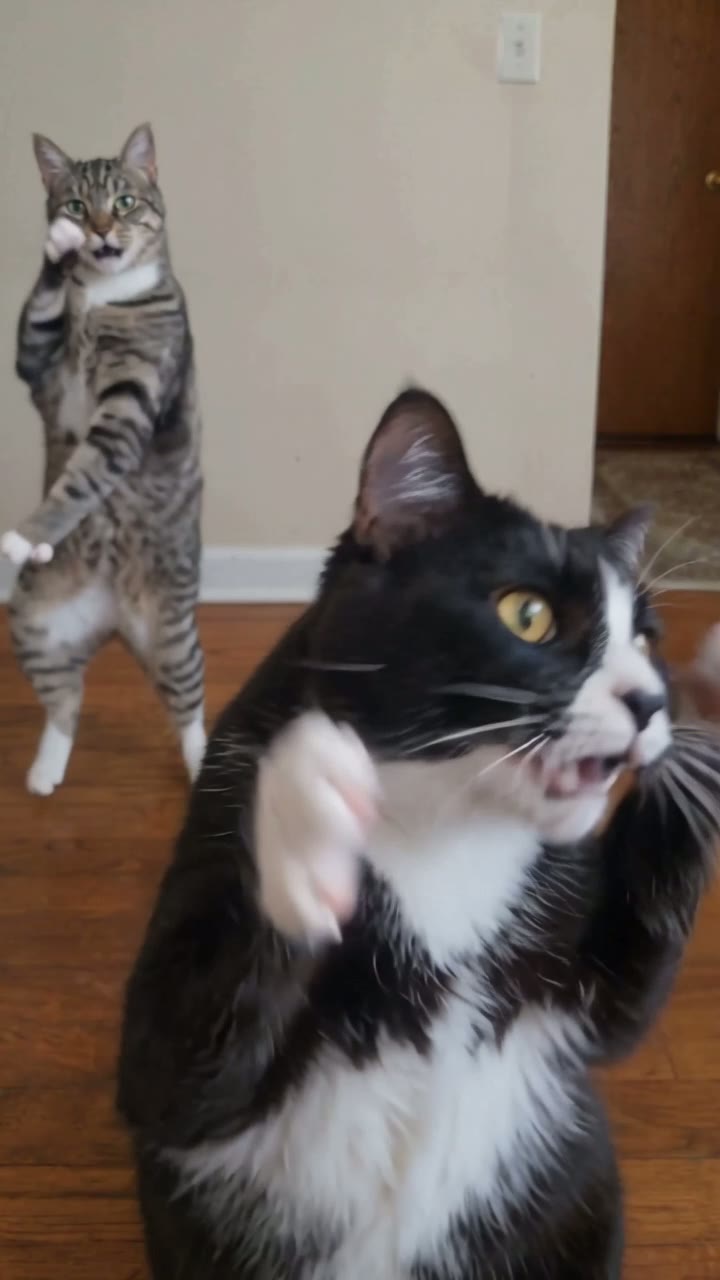
- This is a people template. Its preview does not demonstrate reliable pet results. Use the dedicated Cat Rap Duo page to see the supported cat scene instead.
- Can I try it for free?
- You can watch the example without paying. Generating your own clip requires an account and credits. A free first generation or a particular watermark treatment is not promised here.
- What happens after payment?
- You return to your saved creation draft with the photos and options restored and your balance refreshed. Review the choices and click to continue; checkout does not submit another video by itself.
Try another template
Guide reviewed 2026-10-29 · 2026 edition