
Cat Rap Video
Give your cat a place in the duo.
Make a pet rap video from your photos with Cat Rap Duo. Two cats take turns near the camera, rising onto their hind legs and gesturing with their paws. Upload one photo to personalise the lead, or add another for the partner. The example below shows the scene you are choosing.
1 or 2 photos · 15-second output · 9:16 default · Audio · MP4
Make my cat rap videoPacks start at $4.99 USD for 150 credits. A 480p cat rap uses 150 credits.
Example input photos
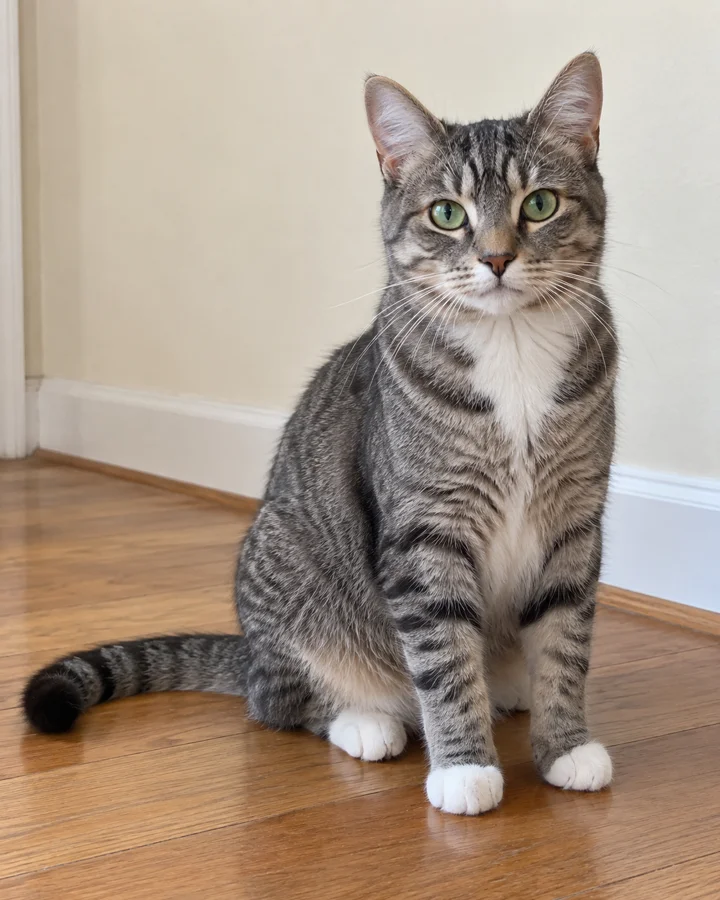
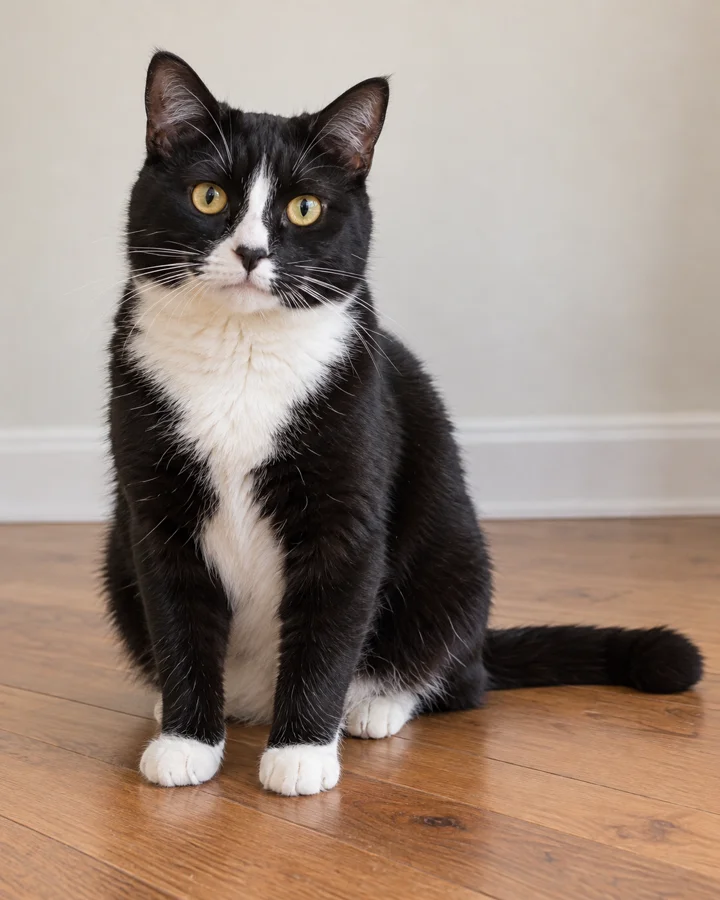
Two cats take the floor
The setting is a room with a wooden floor and pale walls. A black-and-white cat is close to the lens at the opening, while a tabby moves behind. The tabby then takes the foreground. Upright poses, paws near the camera and changing expressions make the scene feel like a playful rap relay.
This preview has no recording booth, hanging microphone, outfits or lyric captions. Those are not selectable options in the current creator. The useful reference is the cats’ movement and handover, rather than a studio illustration that the template cannot reproduce.
Make your pet rap video
Choose one or two cat photos
Open Cat Rap Duo, sign in and upload a clear photo in the lead slot. Leave the optional partner slot empty to keep the template companion, or add a second cat’s photo to personalise both roles. Select a saved image from your private photo history if you have uploaded it before.
Choose resolution and framing
The scene and performance are set by the template. Keep 9:16 for a vertical clip, or choose another available aspect ratio. Pick 480p, 720p or 1080p and check the displayed credit cost. The creator starts at 720p, so select 480p if that is the version you want to buy.
Generate, review and download
Submit the task and watch its status in the notification menu or My Videos. When it is ready, review the finished video and download the MP4. You can edit captions or music afterwards. If you need more credits first, returning from checkout restores the saved photos and options before you continue.
A scene or your own audio?
Choose by what you want to control. Rap Your Life supplies a performance template; an audio-led pet tool may suit a specific song or spoken message better. The comparison below is published by Rap Your Life and uses our current product plus Singing Pet’s public homepage, checked in 2026. It is not an independent hands-on review.
| Your choice | Singing Pet — advertised features | Rap Your Life — Cat Rap Duo |
|---|---|---|
| Inputs | A pet photo plus a selected or supplied audio source. | One or two pet photos; the template supplies the performance. |
| Audio control | Song library, audio upload, microphone recording and text-to-speech. | Template audio is enabled; no song picker, audio upload or custom lyrics. |
| Advertised approach | Animate a pet’s mouth and face to the chosen audio. | Recreate the two-cat room scene, including body movement and role changes. |
| Payment model | Free: one watermarked video per month. Advertised subscriptions: $12.99/week or $39.99/year. | Free template preview. Generation uses credits bought in one-time USD packs. |
These are different purchase models and creative controls, not equivalent bundles. Check the provider’s current terms before paying. We have not verified every editing or scene capability of Singing Pet. Check Singing Pet’s published features and pricing ↗
Start with a clear face
Look for both eyes, a recognisable muzzle and enough detail to see the fur pattern. A clear phone photo is a useful starting point. A seated or full-body image can add context for the body, but the face should still be large enough to inspect.
| Photo choice | What to look for |
|---|---|
| Front-facing cat in even light | Keep the eyes, nose and mouth unobstructed. A relaxed pose makes the source details easier to see. |
| Full-body or seated cat | Include the outline and paws when possible. Avoid a distant subject that leaves the face tiny. |
| Two cats in one photo | Choose separate photos for the two slots so the intended subject is clear in each image. |
| Blur, text overlays or hidden face | Use the original photo if available. A hand, toy or heavy shadow can hide identifying details. |
Upload JPG, PNG or WebP, up to 10 MB per image. Use photos you own or have permission to use. Your account’s photo history remains private and keeps images until you delete them. Privacy
A 2026 pet rap guide
Here, “pet rap video” means a generated performance built around a pet’s appearance. The duo gives each animal a turn, much like the two-performer structure in our human rap templates. It is a scene to personalise, not a way to record an animal actually speaking or singing.
We use 2026 as the context for this guide. We have not established the first pet rap upload, the first cat-versus-dog clip or the date the format spread between platforms. No invented origin timeline or view counts are needed to judge the example available here.
Choose your two roles
Your cat and the template partner
Use one photo in the lead slot. The other cat stays based on the reference. One uploaded pet still appears in a two-cat scene; this is not a separate single-cat solo setting.
Two cats you know
Add a separate partner photo to personalise both animals in one generation. Check the slot order before submitting. You do not need two paid outputs merely to include two cats.
A friend’s cat
Ask the owner for a photo and permission, then choose either role for their cat. Review the generated likeness before sharing it as a surprise or posting it publicly.
The demonstrated template is cat-based. Dog outputs have not been demonstrated here, and there is no dedicated dog-rap or cat-versus-dog battle template to choose. Use a cat photo to follow the preview rather than buying on the assumption of a different scene.
Watch the change of lead
These frames come from our 14-second preview. They illustrate the reference, not exact timestamps or guaranteed gestures in a new 15-second generation.
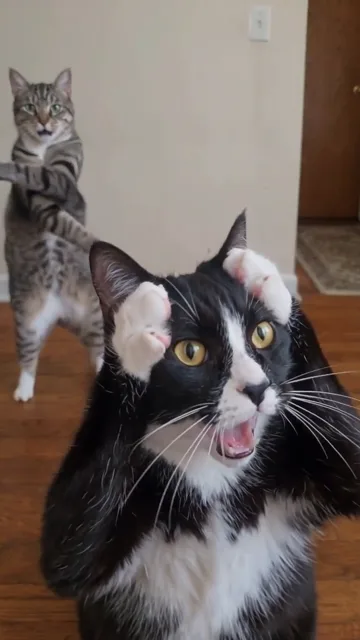
00:01 — Near the lens
The black-and-white cat is in front, with the tabby standing behind.
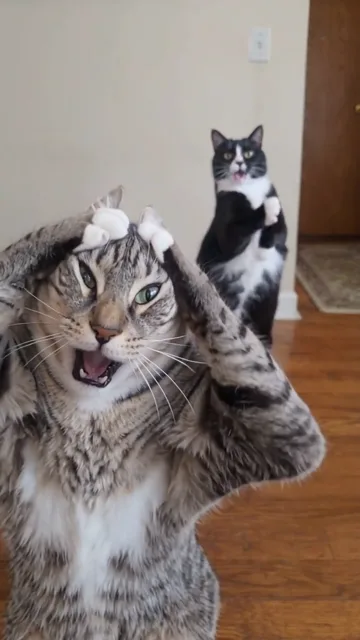
00:08 — The tabby’s turn
The tabby fills the foreground with both front paws raised.
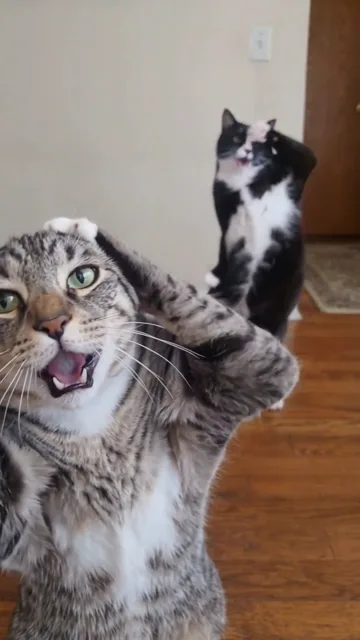
00:12 — The final gestures
The tabby stays at the front as both cats continue their upright performance.
Audio comes with the scene
The template generates with audio enabled. The preview starts muted for your convenience; turn on its sound button before choosing the effect. You do not have to upload a song. Generated sound, mouth movements and timing can differ from the preview.
There is no custom verse, voice-cloning, beat-selection or automatic-subtitle control. If you need a particular song or captions, add them in an editor after downloading and check the rights for that audio on the destination platform. Do not assume a generated video includes a commercial music licence.
Before your cat’s first take
- Is this the same as a talking or singing pet app?
- The emphasis is different: Cat Rap Duo recreates a two-cat performance scene from your photos. It does not let you supply a particular birthday song, recorded message or typed speech. Choose an audio-led tool if choosing the exact words or recording is the main requirement.
- What do I need to upload?
- One clear photo for the lead cat, plus an optional separate photo for the partner. Use JPG, PNG or WebP, up to 10 MB each. With one upload, the template companion stays in the scene.
- Can I make a cat rap video?
- Yes. The preview demonstrates Cat Rap Duo. Your photos guide the animals’ appearance, but fur markings, paws, body shape, expressions and motion can change. Preview the completed result before sharing; an exact likeness is not guaranteed.
- Can I make a dog rap video or a cat-versus-dog battle?
- There is no dedicated dog-rap or cat-versus-dog battle template in the current selection. The example and guidance here are cat-based; dog results have not been demonstrated. We do not promise a dog-specific scene or battle format from this template.
- Do I need a song or a caption file?
- No song upload is required because template audio is enabled. The creator has no custom-song or automatic-caption feature. You may edit music or subtitles afterwards, subject to the rights for anything you add.
- What video format and duration do I get?
- The generation setting is 15 seconds, with MP4 download. The default aspect ratio is 9:16, and other ratios are available. Choose 480p, 720p or 1080p. The existing example is 14 seconds, so its duration is labelled separately from new outputs.
- Is it free, and how long does generation take?
- The template preview is free. Generation needs an account and 150, 300 or 600 credits at 480p, 720p or 1080p respectively. Packs start at $4.99 USD for 150 credits. Queue and processing times vary; there is no guaranteed two-minute completion time.
One-time credits, clear costs
Choose the resolution for your 15-second output. Credits are bought in one-time USD packs and never expire; there is no recurring subscription needed for this template.
| Resolution | Credits per video | Output length |
|---|---|---|
| 480p | 150 credits | 15 seconds |
| 720p | 300 credits | 15 seconds |
| 1080p | 600 credits | 15 seconds |
$4.99 USD adds 150 credits, enough for one 480p cat rap at the current 150-credit cost. Both one-photo and two-photo versions use the listed resolution price. The higher-resolution options need more credits. Compare credit packs
A generation confirmed as failed returns the credits reserved for that task. A wholly unused purchased pack may be eligible for a refund request within seven days under the refund policy and statutory rights. If a job’s submission is unclear, contact support rather than submitting it repeatedly. Refund Policy · Contact
Try a human rap scene
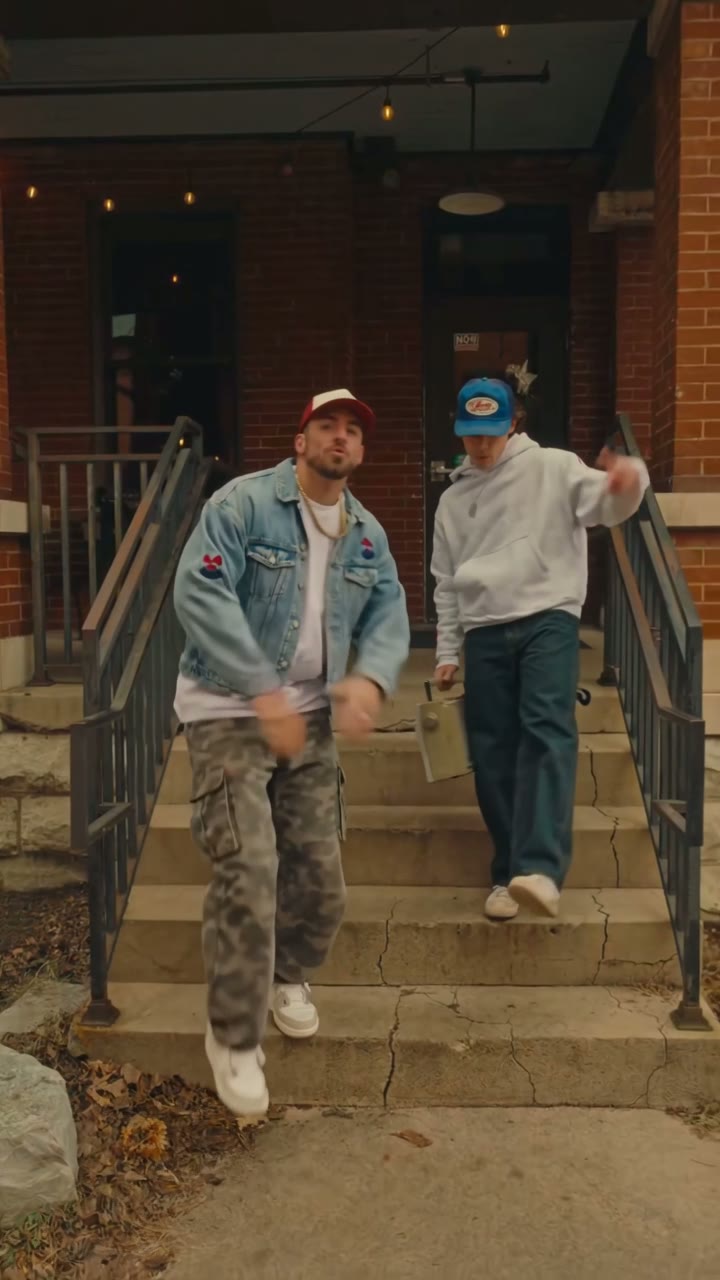
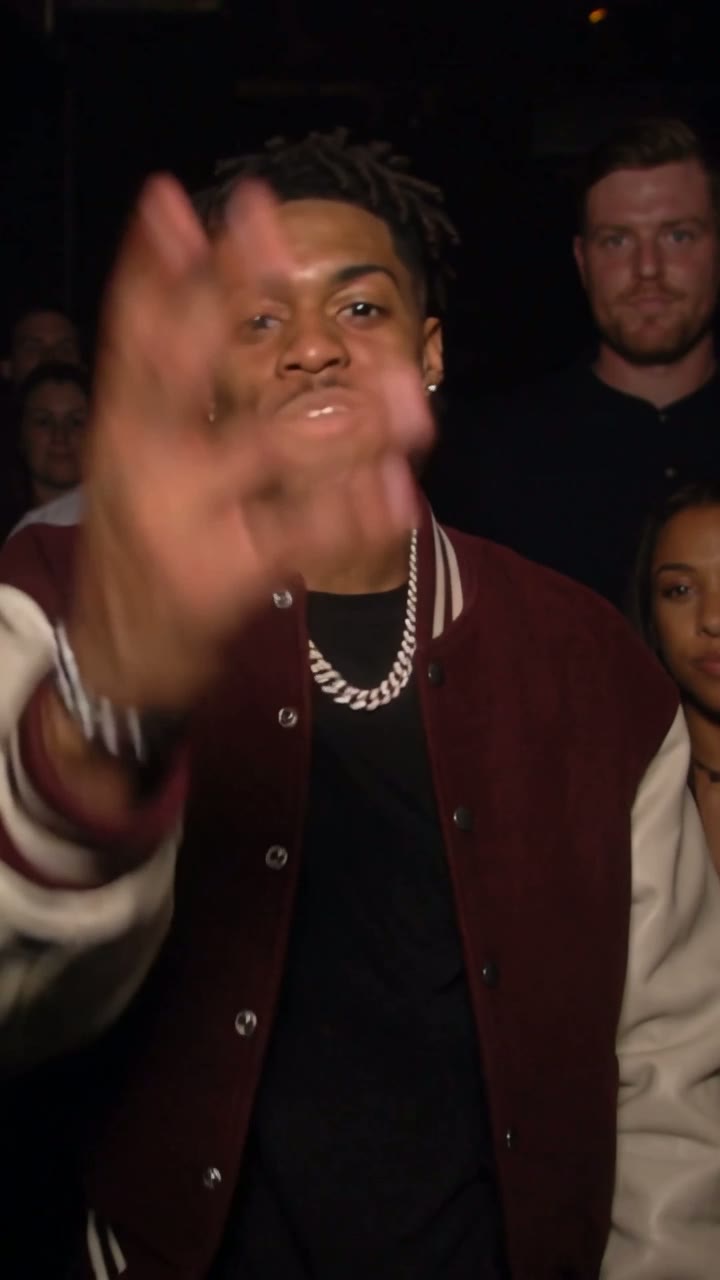
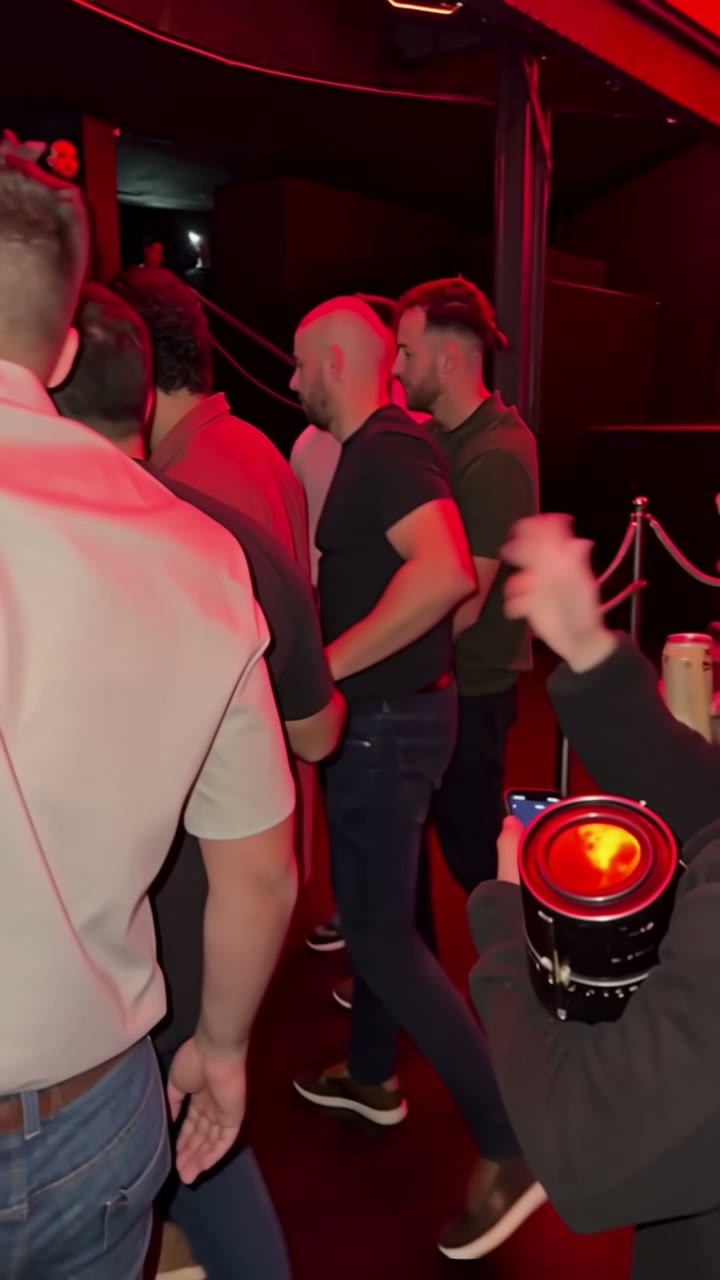
Ready for your cat’s turn?
Make my cat rap video2026 template guide. Product facts and comparison checked 2026-10-29. Preview first published 29 October 2026.